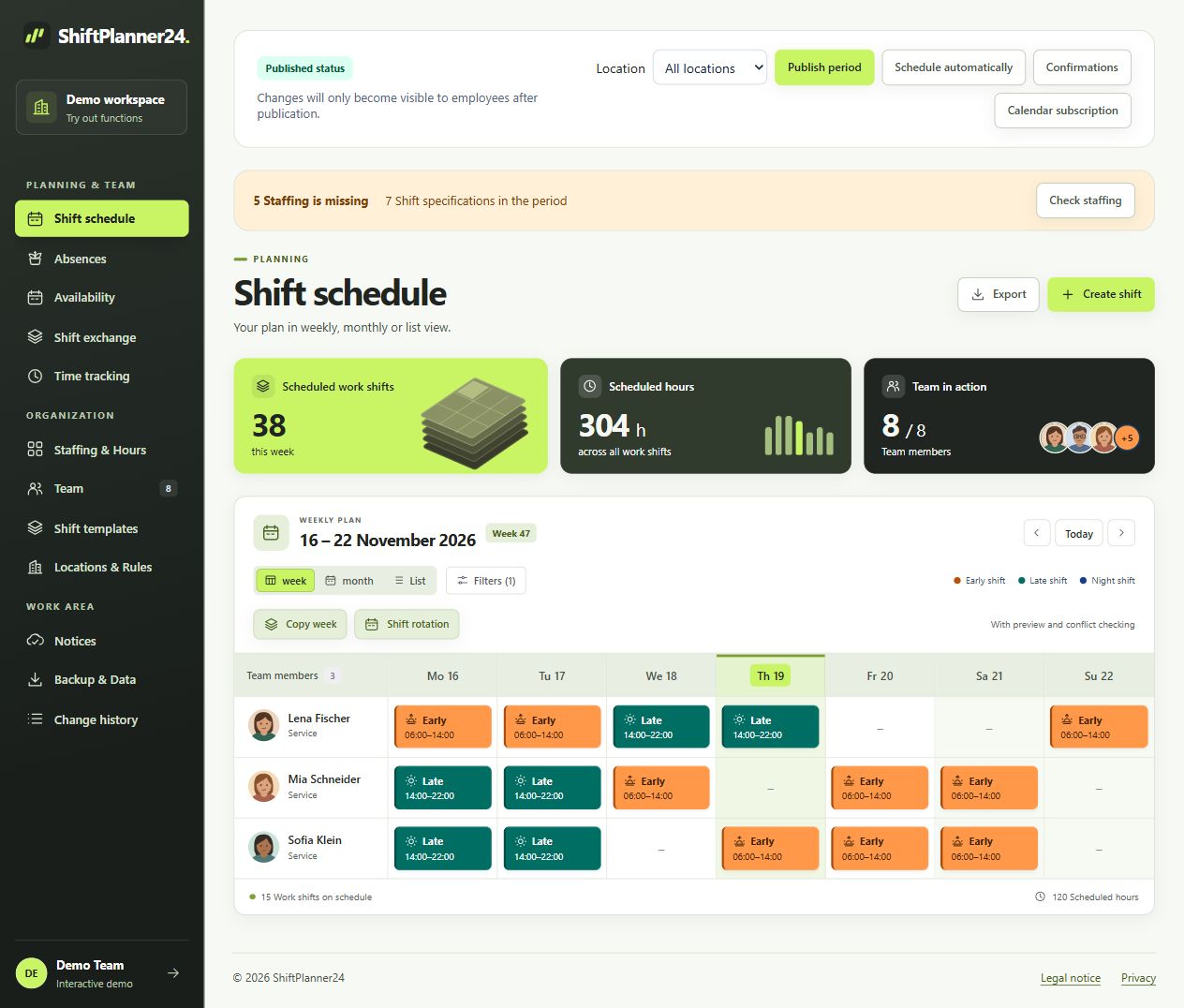
Make the daily routine the basis for planning
A daycare roster should start with your daily routine. When does the facility open, when do most children arrive and when are groups brought together? First describe the tasks and time periods required. Also consider preparation, handoffs, and end-of-day closure. This creates useful work shift templates that you can reuse in the plan.
The roster design in kindergarten depends on the specific facility. Opening hours alone do not determine adequate staffing. Check your needs based on your care concept and the requirements that are relevant to you. Software can clearly display people and times; The professional assessment of supervision, qualifications and educational needs remains with those responsible.
Make groups and responsibilities visible
Create areas with understandable names, for example crèche, kindergarten or comprehensive care. Use filters to focus on the group whose roster you are currently editing. If there are multiple locations, you can also take these into account. Responsible planning access can be limited to specific locations, while administration manages the higher-level work area.
A common daycare roster makes it easier to keep track of overlaps. If one person takes on multiple tasks, their time periods must match. Plan transitions consciously and check whether cross-group deployment is organizationally possible. Simply registering a person does not mean that there are sufficient staffing levels. Therefore, use the overview as a basis for an actual test.
Consider part-time and fixed working days
Many teams work with different hours per week and agreed working days. Enter the relevant settings and collect availabilities before filling the next week. Recurring availability helps with regular restrictions. Wishes should remain understandable without automatically being considered a promise. A published result then gives the team a common position.
When planning shifts for daycare centers, it is worth looking over several weeks. Are early and late services distributed in a comprehensible manner? Are recurring obligations taken into account? Rules-based scheduling suggestions can include needs, skills, availability and hour distribution. Check the preview for your groups and pedagogical processes before adopting it. The responsibility for the division remains with the planning.
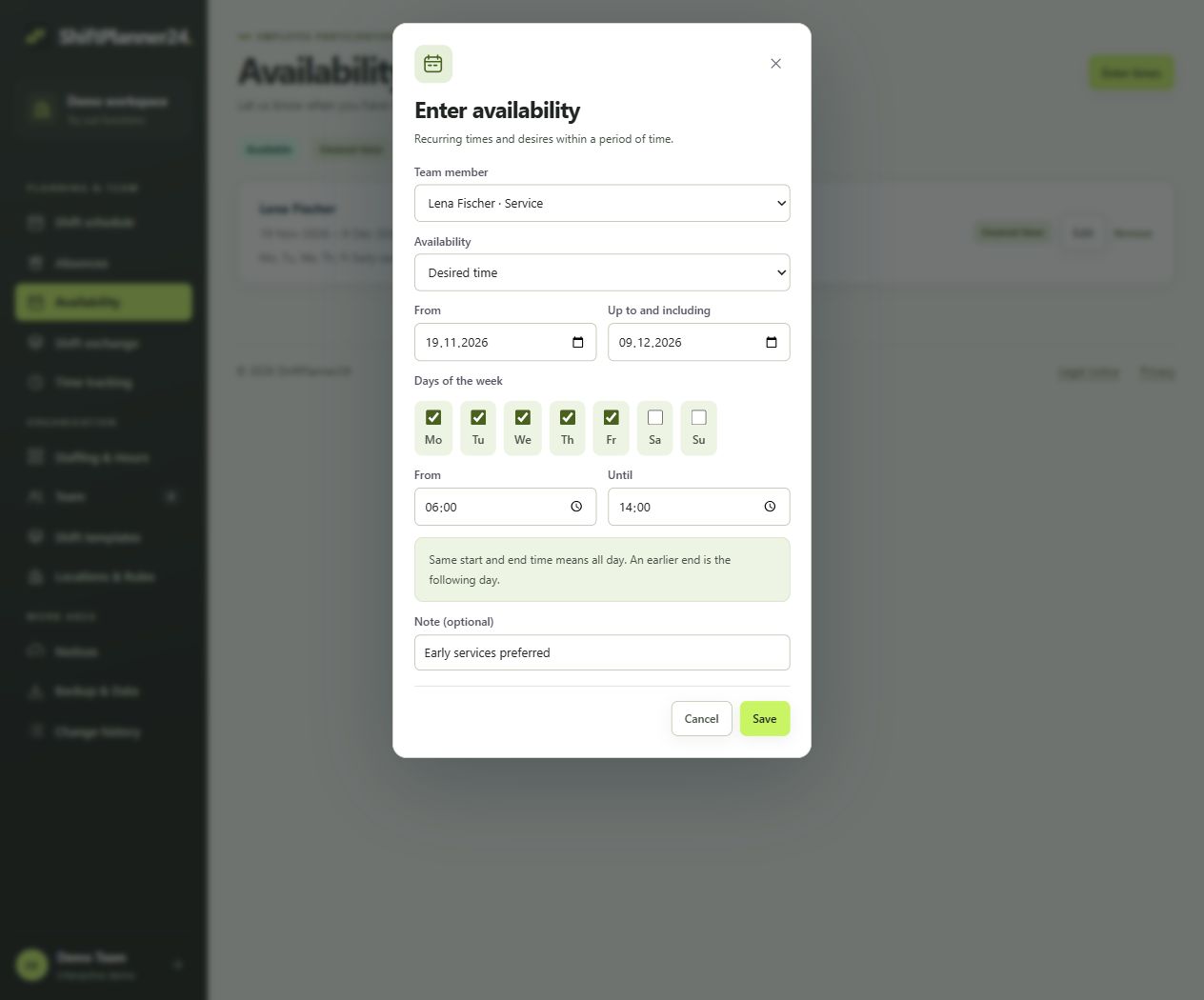
Plan available times in the duty roster
Preparation, documentation, parent meetings and team meetings take time. A duty roster with available times makes such tasks visible so that they are not assumed as an afterthought when planning the week. Use clear names and appropriate time blocks for this. Which activities and scope are planned for you depends on the respective agreements and organizational requirements.
In the team, distinguish between presence in the facility and time available for immediate group work. A person can be in the house and perform another task at the same time. Therefore, check the actual care situation during planned meetings or conversations. The joint overview supports this coordination, but does not replace a technical assessment of the required staffing.
A concrete example is a planned parent-teacher meeting in the afternoon. The specialist in question may remain in the facility but will not be available for their previous group task during the interview. Enter this period in a comprehensible manner and check the remaining staffing levels. Also consider the preparation and subsequent transition back into the group. Discuss such examples together as a team. This creates uniform designations and representatives can read the plan more easily without having to ask about every organizational specificity over the phone. Also check whether new employees use the same terms and reliably identify responsibilities.
Coordinate vacation and short-term substitutions
Confirmed vacation and other absences should be included early in the plan. Leave requests can be made through the application and then approved or rejected. If a person is unavailable at short notice, you check remaining needs and possible replacements. Record changes in the plan so that several different versions do not remain in circulation at the same time.
Open shifts and shift changes can be organized via the shift exchange. A mutual exchange requires the intended approval and approval by planning. Even if two people agree, the new division must fit your groups. Therefore, check tasks, qualifications and time periods before publishing the change as a binding plan.
Use the daycare roster app as a team
Employees view their published services via personal access. ShiftPlanner24 works directly in the browser and can be installed as a web app on the smartphone. A daycare roster app is particularly helpful if part-time employees want to check the schedule outside of their attendance times. Personal calendar subscriptions supplement access to published work shifts.
You agree on a clear process for changes. An external calendar updates its subscription on its own schedule; It therefore does not replace checking the current roster in the event of short-term adjustments. Communications and plan confirmations support coordination. Also determines who can edit the plan and which people should only see their own information.
From Excel roster to collaborative planning
A roster for the kindergarten is often initially created in Excel. The table can make it easy to get started, but it quickly becomes confusing when there are several people working on it. To switch to online planning, first transfer the required areas, people and shift times. Start with a typical week and check the result together with the management.
Only copy recurring weeks after the basic structure is correct. Check new absences, changed opening times and special dates each time you take over. You can export the roster as a PDF for a notice or meeting. CSV supports further evaluations. The published online version should remain the agreed basis for changes.
Try a full round of planning
The demo shows you the planner with fictitious team data. You register a workspace for your own kindergarten and confirm your email address. Afterwards, 30 free trial days begin. A paid continuation is only possible through explicit booking and costs 19 euros per month including VAT. No payment details are required when registering.
Use the test for a complete process: create groups, prepare work shifts, collect availabilities, distribute services and publish the plan. Add a representation and check the view from the employee’s perspective. This way you can see whether your roster design in the daycare center is clearly displayed and where the team still needs common rules.