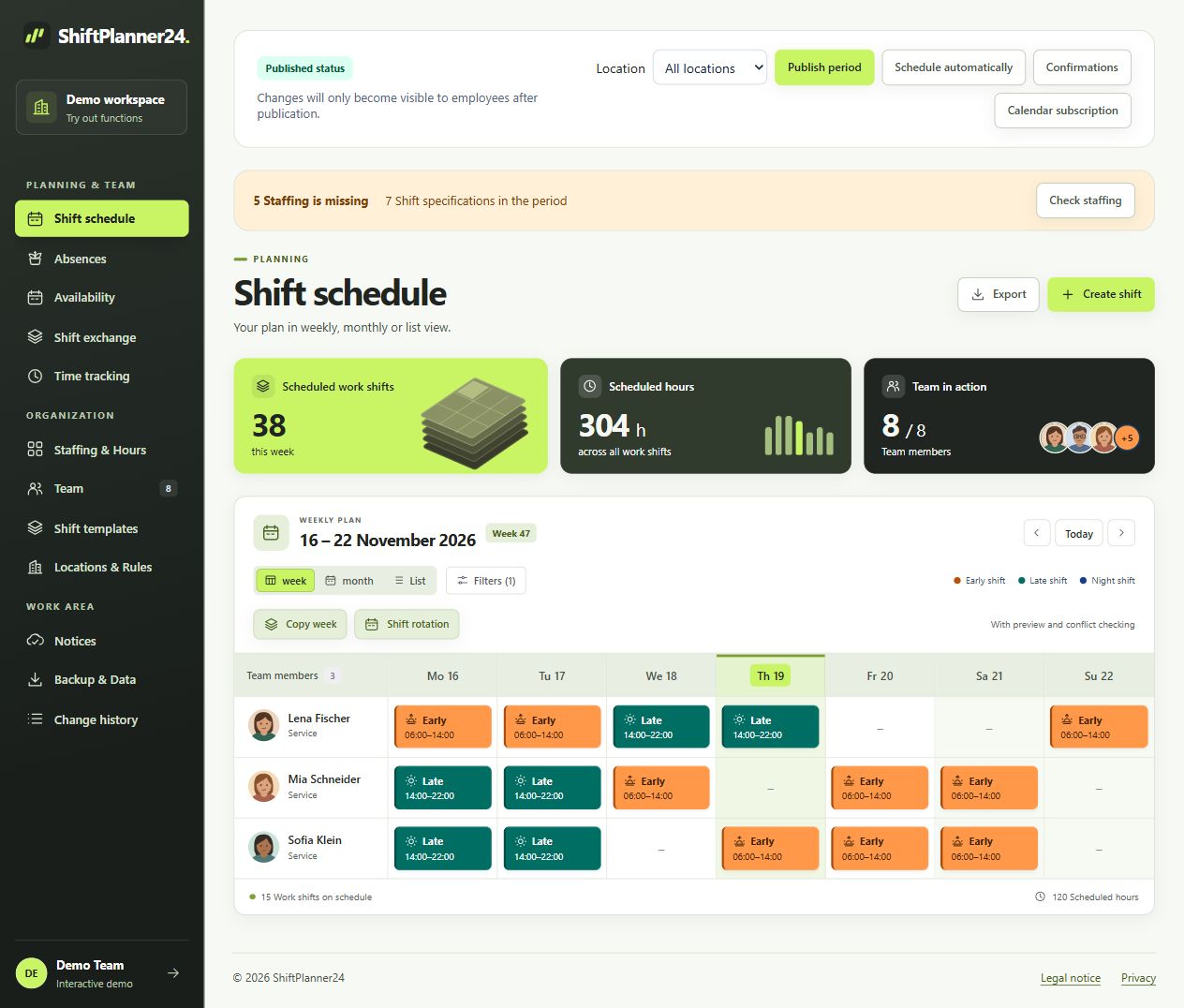
Map stations and functional areas in a structured manner
Start with a clear structure for the area you want to plan. Use understandable names for stations, functional areas and tasks. If there are several locations, their responsibilities can be taken into account. Limit location-based planning access where individual planners are allowed to make changes. The administration manages the overall work area and accesses.
A hospital roster should not hide all organizational differences in a single general work shift. Early shift, late shift, night shift and special operating times can have their own templates. Individual deviations remain possible. Filters help you check part of the planning without losing connection with the other areas. What is crucial are terms that the team clearly understands.
Check qualifications and actual needs
A work shift that is manned in numbers does not automatically mean that it is staffed sufficiently professionally. Therefore, store the qualifications relevant to your planning and describe the requirements for each area and time period. Rules-based suggestions can take this information into account along with availability, requests and hour distribution. Before you take over, you will receive a preview to check.
A roster program for the hospital supports the allocation, but does not replace professional staffing. Check the actual staffing required based on your tasks and the relevant specifications. Changing care situations, training and special responsibilities may require additional decisions. Record these decisions so that those responsible can understand the finished plan.
Plan handovers and night changes consciously
Handovers belong in the planning as actual work processes. Check which services need to overlap and which tasks will be handed over. Work shifts beyond midnight are managed with an appropriate end date. Individual start times and end times can be entered, as can frequently recurring times from a work shift template.
When creating a hospital shift schedule, also consider the sequence of multiple services. A single day does not show how stressful an entire episode can be. Fixed rhythms and copied weeks make recurring entries easier. Then check absences, changes and the applicable boundaries. An adopted template is a starting point and not an automatic release of the specific service sequence.
Process failures and substitutions in a coordinated manner
In the case of a short-term absence, a shared plan helps to identify the period affected and the missing tasks. Check available people and their suitability for the respective assignment. Open services can be offered via the shift exchange. There is a process with approval and approval by planning for handovers and mutual shift swaps.
The application checks, among other things, time conflicts and unavailability before taking over. Stored rest time and weekly limits are also included. Nevertheless, a conscious decision remains necessary: Does the new staffing fit the station, the task and the rest of the roster? Only after this check should the changed status be published and communicated to the affected team.
Distinguish draft and published roster
Assignments change frequently during planning. Therefore, the draft and published status are separate. You can first edit a time period and then release it specifically. Employees see their published personal work shifts. Plan confirmations help to identify which people have already confirmed the new status.
A duty roster in a hospital also needs a reliable organizational process. Agrees on when drafts will be reviewed, who will give approval and how changes will be communicated. A notification alone does not replace clarification of disputed assignments. If several people are planning, clear responsibilities and a common published status help to avoid conflicting information.
For a practical test run, you can use an example station week. One person has further training, another works part-time on fixed days, and a night shift needs to be filled. Review needs, available skills, and related services one at a time. Then record who controls and publishes the revised draft. Ask one person involved whether they can clearly identify their new classification. This simple process quickly shows whether responsibilities and designations in the system match your station. It also makes it clear what additional information is needed for a decision outside of the roster. Then evaluate these findings together and agree on which information needs to be checked again before each publication.
View personal services on mobile devices
ShiftPlanner24 runs on computers, tablets and smartphones in the browser. The installable web app allows direct access to your personal plan. Employees can also store availabilities and submit vacation requests. Roles and access rights differentiate the tasks of administration, planning and employees.
Personal calendar subscriptions also display published services in a suitable calendar program. Its polling interval determines when changes are applied. The current plan view therefore remains important for short-term changes. Keep general shift notes limited to the organizational information you need. Patient-related information and clinical documentation belong in the designated systems, not in a commonly used service plan.
Check planned and recorded working times
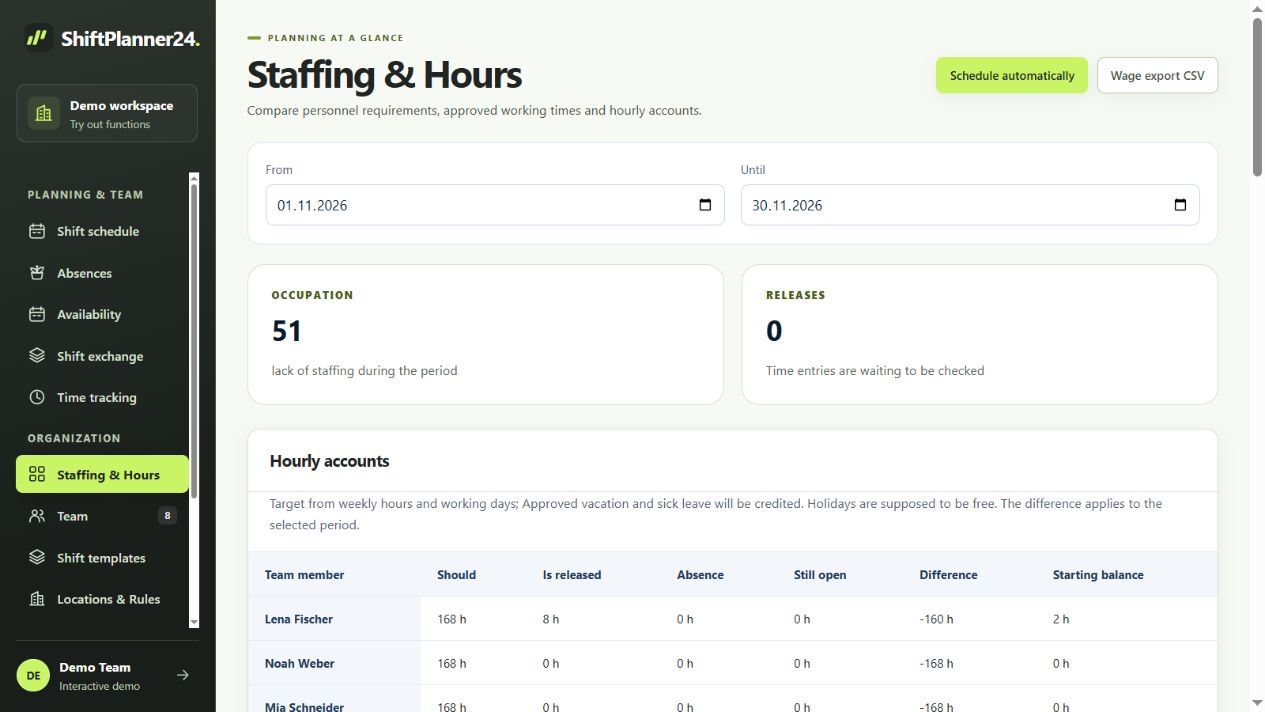
The published roster shows planned deployments. Actual working times are recorded separately, for example with the time clock or via manual entries. Corrections and approvals create a comprehensible process. Hourly accounts take released times and the stored settings into account. Breaks are not automatically deducted from scheduled work shifts.
Use the comparison of target and actual to clarify open entries and deviations in a timely manner. A general CSV wage export supports further processing. There is no direct interface to your hospital information system or specific billing software. Check the format and the necessary coordination with administration before replacing existing processes.
Start with an appropriate pilot area
Choose a clearly defined area and a complete planning period to get started. Create relevant qualifications, work shift templates and responsibilities. Then try creating, reviewing, publishing, and modifying a plan. Include later use by employees so that the test does not end with the planning management's opinion.
The demo contains fictitious data to get to know you. After email confirmation, 30 free trial days begin in your own workspace. Afterwards, a continuation for 19 euros per month including VAT is only possible after express booking. Use the results of the pilot area to make an objective decision: Which steps will be more understandable, which coordination will remain necessary and which requirements still need to be clarified before a broader introduction?